

3D printing opens up limitless possibilities, but even experienced users encounter challenges. To achieve high-quality results, it is important to quickly identify the problem and know how to solve it.
Below are the most common issues and reliable solutions recommended by LEMONA electronics experts.
Problem: No filament extrusion during printing
If the printer is running but no filament is being extruded, the issue is usually related to the feeding process or temperature.
Common causes and solutions:
- If filament is broken, tangled or not properly loaded – check the filament spool and reload the filament into the extruder
- If the nozzle is too close to the build plate and blocks material flow, re-level the printer or increase the Z-axis offset.
- The extruder is jamming or it develops a slipping grip on the filament, you should disassemble the extruder and clean it. Also, remove the filament, cut off the slippery portion, and reload the filament into the extruder.
- When the nozzle is clogged, heat it up and unclog it with a nozzle cleaner.
- There is a chance that the temperature is not high enough to melt the filament. You shoud adjust it according to the filament in use.
Problem: Model's first layer not adhering to the build plate
The first layer is the foundation of the entire print. Poor adhesion can cause issues even if other settings are correct.
Common causes and solutions:
- The nozzle is too far from the build plate – re- level the printer or decrease the Z-axis offset.
- The surface of the build plate is rough and lacks adhesion. Apply blue tape or glue stick. Magigoo Supergrip glue is especially effective, providing strong adhesion across a wide temperature range.
- The heatbed temperature is set incorrectly. Adjust the temperature according to the filament in use.


Problem: Warping or detachment during printing
If the edges of the model lift or deform, the issue is usually caused by temperature imbalance.
Common causes and solutions:
- Improper printing temperatures. Adjust the nozzle and heatbed temperatures according to the filament in use.
- Impact of ambient temperature. Some materials require specific environmental conditions and need to be printed in an enclosed space.
- Improper selection of filament. Use appropriate filaments for the print job to ensure the material suits the intended application.
- The first-layer contact area is too small. Add a base or skirt to your 3D model while slicing.
- Use Magigoo adhesives to improve adhesion and protect the build plate.
Problem: Uneven extrusion
Uneven material flow appears as rough surfaces or “wavy” prints.
Common causes and solutions:
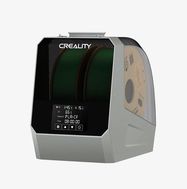
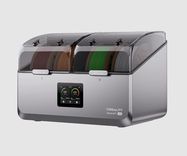
- Poor filament quality, contamination, or moisture. Filaments absorb moisture, which reduces print quality, weakens layer bonding, and complicates temperature control. Use proper storage and filament dryers to maintain quality.
- The extrusion flow rate setting is incorrect. To solve it you should recalibrate the extrusion flow rate.
- If the nozzle is worn or clogged, clean or replace it if necessary.

Problem: Stringing or oozing
Thin strings between printed parts indicate unwanted material flow.
Common causes and solutions:
- Insufficient retraction leads to filament oozing continuously from the nozzle. Adjust the slicing settings to increase retraction speed and distance.
- Nozzle temperature too high, causing drips outside the printing are – reduce temperature.
- Insufficient cooling – ensure that the chamber cooling fan and the part cooling fan are functioning properly.
- Moist filament is also a common cause – using a filament dryer helps maintain consistent quality.
Problem: Layer misalignment
If layers shift sideways, the issue is typically mechanical.
Common causes and solutions:
- Printing speed too high – reduce speed and reprint.
- Belt tension incorrect – adjust belt tension properly and reprint.
- External forces and vibrations – ensure the printer is placed on a stable surface without disruptions and reprint.
Problem: Layer cracking or delamination
When layers do not bond properly, the model loses strength. Moist filament also weakens layer adhesion.
Common causes and solutions:
- The layer height is too high – adjust slicing settings or re-set parameters.
- Printing temperature too low, causing weak layer adhesion – increase temperature for better bonding.
- Unstable printing environment and it is changed – maintain consistent conditions; some materials require enclosed printing.
- Printing too fast or layers too thin – reduce speed or increase layer thickness.
If you have questions about 3D printing products or cannot resolve issues, contact LEMONA electronics experts – they will help you find the best solution.